

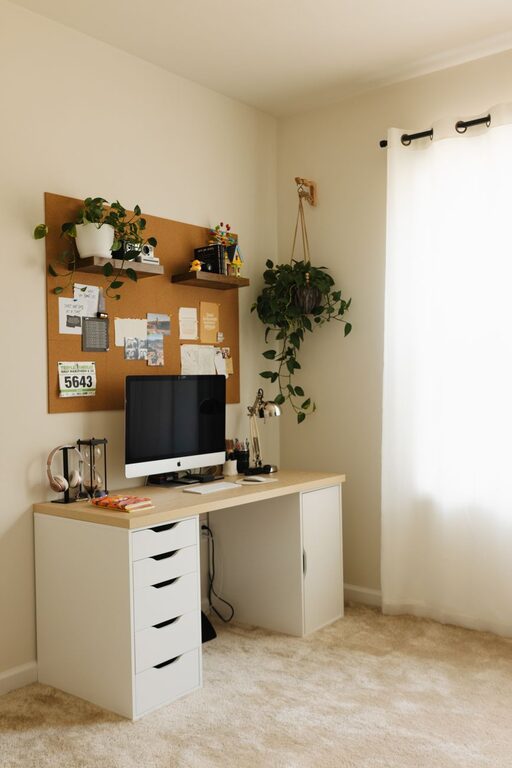
Creating a home office that balances comfort and productivity can transform your work-from-home experience. A well-designed workspace helps minimize distractions, keeps you motivated, and promotes better focus. Whether you have a dedicated room or a small corner, these tips will guide you in designing a cozy and efficient home office.
Choose the Right Location
Find a Quiet and Well-Lit Spot
Selecting the right place for your home office is essential. Look for a quiet area with minimal foot traffic and noise. Natural light boosts mood and energy, so pick a spot near a window if possible. If natural light is limited, invest in good-quality lamps that mimic daylight.
Consider Privacy and Boundaries
Even in shared spaces, try to establish a dedicated work zone. Use room dividers, curtains, or bookshelves to visually separate your office from living areas. This helps mentally switch between work time and relaxation.
Invest in Comfortable Furniture
Ergonomic Chair and Desk
Sitting for hours requires a chair that supports your posture. An ergonomic office chair with adjustable height and lumbar support can prevent discomfort and strain. Pair it with a desk at the right height to keep your wrists and arms at a natural angle.
Add Soft Textiles
Include a cozy rug, cushions, or a throw blanket to soften the space and add warmth. These small touches make the area inviting and reduce the sterile feel of typical office setups.
Organize with Purpose
Declutter Regularly
Keep your desk tidy by only having the essentials within reach. Use trays, pen holders, and organizers to manage supplies. Decluttering helps reduce overwhelm and distractions.
Use Storage Solutions
Floating shelves, filing cabinets, or storage bins can keep paperwork and materials out of sight but easily accessible. Label containers to find items quickly and maintain order.
Personalize Your Space
Include Inspiring Decor
Add artwork, plants, or photos that motivate and make you happy. Plants not only enhance aesthetics but also improve air quality and reduce stress.
Choose Calming Colors
Soft, neutral tones like light blues, greens, or warm grays create a soothing atmosphere that supports concentration. Avoid overly bright or bold colors that may be distracting.
Set Up Efficient Technology
Reliable Internet and Equipment
Make sure your internet connection is strong and stable to prevent interruptions. Invest in quality hardware such as a microphone, webcam, and headphones for virtual meetings.
Cable Management
Use clips, sleeves, or boxes to organize cables and prevent tangled messes. A clean setup looks professional and helps avoid distractions.
Maintain Good Lighting
Layer Your Lighting
Combine ambient lighting with task lighting for versatility. A desk lamp with adjustable brightness helps reduce eye strain when working late hours.
Minimize Glare
Position your computer screen to avoid glare from windows or lights. Use blinds or curtains to control sunlight throughout the day.
Establish Working Habits
Define Work Hours
Stick to a schedule to separate work from personal time. Having a clear start and end to your day helps maintain balance and productivity.
Take Breaks and Move
Incorporate short breaks to stretch, walk, or relax your eyes. Movement refreshes your body and mind, boosting focus when you return to work.
Final Thoughts
Designing a cozy and productive home office is about creating a space where you feel comfortable, organized, and motivated. By considering lighting, furniture, organization, and personal touches, you can build a workspace that supports your best work every day. Start small and adjust based on your needs, and soon your home office will become a favorite spot for productivity and creativity.